Apple MacBook "Core 2 Duo" 2.1 13"
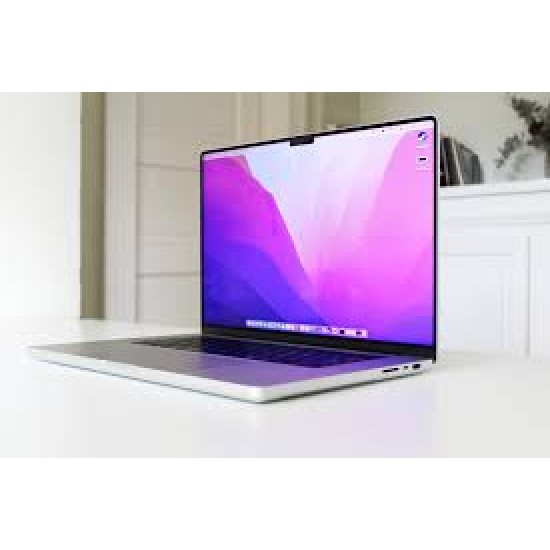
Apple MacBook "Core 2 Duo" 2.1 13"
| Introduction Date: | February 26, 2008* | Discontinued Date: | January 20, 2009 |
| Processors: | 1 (2 Cores) | Architecture: | 64-Bit |
| Geekbench 2 (32): | 2827 | Geekbench 2 (64): | 3201 |
| Geekbench 3 (32): | 1057 | Geekbench 3 (32): | 1791 |
| Geekbench 3 (64): | 1043 | Geekbench 3 (64): | 1509 |
| Geekbench 4 (SC): | 1363 | Geekbench 4 (MC): | 2388 |
| Geekbench 5 (SC): | N/A | Geekbench 5 (MC): | N/A |
| Processor Speed: | 2.1 GHz | Processor Type: | Core 2 Duo (T8100) |
| Details: | The Intel "Core 2 Duo" (T8100) 45 nm "Penryn" processor includes two independent processor "cores" on a single silicon chip. Also see: How much faster is the "Early 2008 Penryn" MacBook Core 2 Duo compared to the "Late 2007 Santa Rosa" MacBook Core 2 Duo? |
| Turbo Boost: | N/A | Custom Speeds: | N/A |
| Processor Upgrade: | Soldered | FPU: | Integrated |
| System Bus Speed: | 800 MHz | Cache Bus Speed: | 2.1 GHz (Built-in) |
| ROM/Firmware Type: | EFI | EFI Architecture: | 64-Bit |
| L1 Cache: | 32k/32k | L2/L3 Cache: | 3 MB (on chip) |
| RAM Type: | PC2-5300 DDR2 | Min. RAM Speed: | 667 MHz |
| Details: | Supports 667 MHz PC2-5300 DDR2 SDRAM. Also see: How do you upgrade the RAM in the MacBook? How much RAM of what type does it support? |
| Standard RAM: | 1 GB | Maximum RAM: | 6 GB* |
| Details: | 1 GB of RAM is installed as two 512 MB modules, no slots free. *Apple officially supports a maximum of 4 GB of RAM but third-parties have been able to upgrade the system to 6 GB of RAM using one 2 GB and one 4 GB memory module. In the US (and many other countries), site sponsor Other World Computing sells memory -- as well as other upgrades -- for this MacBook. In the UK, site sponsor Flexx sells memory and other upgrades for this MacBook. In Germany, site sponsor CompuRAM sells memory and other upgrades for this MacBook. In France, site sponsor MacWay sells memory and other upgrades for this MacBook. In Australia, site sponsor Macfixit sells memory and other upgrades for this MacBook. Also see: Actual Max RAM of All G3 & Later Macs. |
| Motherboard RAM: | None | RAM Slots: | 2 |
| Video Card: | Intel GMA X3100 | VRAM Type: | Integrated |
| Details: | Also see: How much faster is the Intel GMA X3100 graphics processor in later MacBook models compared to the Intel GMA 950 in earlier models? Is gaming performance improved? |
| Standard VRAM: | 144 MB | Maximum VRAM: | 144 MB |
| Built-in Display: | 13.3" Widescreen | Native Resolution: | 1280x800 |
| Details: | 13.3" color widescreen TFT active-matrix "glossy" display with a 1280 by 800 native resolution. Apple reports that it also supports "1152 by 720, 1024 by 768, 1024 by 640, 800 by 600, 800 by 500, 720 by 480, and 640 by 480 at 16:10 aspect ratio; 1024 by 768, 800 by 600, and 640 by 480 pixels at 4:3 aspect ratio; [and] 720 by 480 at 3:2 aspect ratio". Also see: What exactly is a glossy display? Is the glossy display used in the MacBook better or worse than the previous iBook display? In the UK, site sponsor ALB Repair offers component-level logic board repair, display repair, and other repair services for this MacBook. No fix, no fee! In Germany, site sponsor Conodi provides high quality Mac and PC repair services as well as remote home office setup and troubleshooting. In-person and mail order repair services include the display, motherboard, water damage and more for this MacBook. In Spain, site sponsor iRepairs provides affordable repair and data recovery services. In-person and by mail repair services include the display, battery, keyboard, motherboard, and more for this MacBook. In Singapore, site sponsor Esmond Service Centre provides highly regarded repairs for the display, motherboard, battery, water damage issues, and more, all with a free estimate and fast turnaround for this MacBook. |
| 2nd Display Support: | Dual/Mirroring | 2nd Max. Resolution: | 1920x1200 |
| Details: | The maximum resolution supported on an external display is 1920x1200. |
| Standard Storage: | 120 GB HDD | Std. Storage Speed: | 5400 RPM |
| Details: | Also see: How do you upgrade the hard drive in the MacBook? In the US (and many other countries), site sponsor Other World Computing sells storage upgrades for this MacBook. In the UK, site sponsor Flexx sells storage upgrades for this MacBook. In France, site sponsor MacWay sells SSDs and other storage upgrades for this MacBook. In Australia, site sponsor Macfixit sells storage upgrades for this MacBook. Also see: SSD Compatibility Guide for All G3 & Later Macs. |
| Storage Dimensions: | 2.5" (9.5 mm) | Storage Interface: | Serial ATA (1.5 Gb/s) |
| Standard Optical: | 8X "Combo Drive"* | Standard Disk: | None |
| Standard Modem: | None | Standard Ethernet: | 10/100/1000Base-T |
| Details: | An external Apple USB Modem (56.6k v.92) was available for US$49. |
| Standard AirPort: | 802.11a/b/g/n | Standard Bluetooth: | 2.0+EDR |
| USB Ports: | 2 (2.0) | Firewire Ports: | 1 (400) |
| Expansion Slots: | None | Expansion Bays: | None |



-250x250h.png "iPad Pro 11\" (Wi-Fi/Cellular - China)")